Does technology make life easier?
There was an interesting article in my local newspaper, The Times Leader, the other day titled, “Today’s technology makes work easier…and can drive you nuts.” The author’s point is that because people get so overwhelmed by the amount of e-mails/texts, they “sacrifice pleasantries and small talk for efficiency’s sake, which can rub many people the wrong way.” He goes on to give some advice about how to deal with this. Taking the time to compose an e-mail that won’t be taken the wrong way does take more time and e-mail seems to be sucking up more and more of my time. When I arrive at work, I turn on my computer and login to my e-mail account. Invariably, I have several e-mails where the sender expects a reply so I dash off a few responses. In the meantime, more e-mails start to come in and people to whom I replied are asking new questions. Once I login to my e-mail, I leave it open on my desktop for the day so this continues all day long. At one of the many time management workshops that I’ve attended over the years, someone suggested doing the exact opposite of what I do. Instead of checking e-mail, get right to work on a project. Once you have finished that project, or need a break take 10 minutes to deal with e-mail, then log off. It sounded like a good idea at the time, but I never really implemented this practice. I’m going to give it a try this week. OK, so now I’m going to log out of my e-mail and check in again around lunch. So if you’ve sent me an e-mail and are waiting for a reply, look for it this afternoon. I’ll keep you posted about how it works for me.
Alphabet Soup: QR Codes and NFC
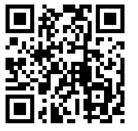
QR Code generated by kaywa.com
Most of us know what Quick Response (QR) Codes are and can do. We see the QR Codes everywhere now. They are in magazines, store advertisements, business cards, newspapers, on wine bottles, and in library online catalogs. There are QR code generators (e.g. http://qrcode.kaywa.com/) that create the code and QR readers (e.g. http://reader.kaywa.com/) that allow smartphones to scan the code and load the QR content. For example if I scan the QR code on a colleague’s business card it might take me to their current CV or Web site.
On May 20, 2011 the New York Public Library hosted an all-night event for young adults lucky enough to be selected to participate in the “Find the Future at NYPL: The Game”. One hundred items in the NYP were given QR codes with embedded information. The end result was a printed book filled with essays written by participants. (http://tinyurl.com/3pgyyu9).
Now enter Near Field Communication or NFC, similar to RFID. The NFC chip is implanted in items like business cards, posters, and stickers. These NFC chips utilize wireless technologies to transfer information to smartphones with NFC chips. Potential uses include credit card payment, ID card, or museum display with video. Smartphones with NFC chips should be able to transfer content (e.g. photos, files) by “bumping” their phones together. With this new form of technology come questions about data security.
Does anyone have a smartphone with an NFC chip? If so, would you like to tell us how you use it?
For more information:
Near Field Communication http://en.wikipedia.org/wiki/Near_field_communication
Wired.com http://www.wired.com/epicenter/2011/05/wired-nfc-faq/
QR Codes vs. Near Field Communication: The Battle for Google’s Attention http://tinyurl.com/3govhjk
Adding Spice to Library Instruction
Recently on the ILI-L, there was a thread about innovative ways to enliven library instruction sessions. I really enjoyed reading about what some librarians are doing to engage and motivate students during the usually short time that librarians have to show what the library has to offer and to teach and facilitate research skills. Among the ideas offered in the postings, three in particular caught my interest: Animoto, Popplet, and Prezi.
Animoto is a great tool for easily creating videos and presentations. Anyone can create a free 30-second video with an Animoto Lite account. There are three additional fee-based account types and a free iPad app, too. Educators can apply for a free Animoto Plus account. On the ILI-L, one of the posters wrote about playing an Animoto video while students arrive and get settled. It sounded like a wonderful idea to add pizzazz and an upbeat tone to the library session before it actually begins.
I tried out the Lite account. Using Animoto’s stock video and music, I quickly created a video, “Getting Connected to the PSU Libraries” to show basic library contact information. With the music, graphics, and looping feature, I think the video will add spice to the session before it even begins. To view the quick and (very basic) video I created , follow the link below.
http://animoto.com/play/hSMnPbTg5nyHqxq2kk6Ccg
Popplet is another useful tool for creating visuals. It’s a fast, easy, and free way to produce colorful diagrams/concept/mind maps using text, images, videos, and links. There is also a free Popplet app for the iPad. To get a good idea of the various ways to use Popplet, be sure to view the “Checkout our preview video” on Popplet’s homepage.
To become familiar with Popplet, I used it to create a basic visual diagram, “Steps for Writing a Research Paper.” To see it, click the link below.
http://popplet.com/app/Popplet_Alpha.swf?page_id=54391&em=1
Prezi offers an innovative way to produce presentations that are very different from the typical PowerPoint presentation. I would say a Prezi presentation is quite “action oriented” with its zooming and scaling features. You can even import your current PowerPoint or Keynote slides and “Prezify” them. There are three account types, and the middle one is available for free to educators. I plan to work on my first Prezi presentation in the near future. For a brief overview of Prezi, check out the following:
http://prezi.com/recyyolzxm3e/how-to-create-a-great-prezi/
What types of innovative tools do you use when conducting library instruction? Has anyone used any of the above tools? Would anyone like to share examples?
Articles to forward to faculty.
As an information literacy librarian, one piece of information I like to keep my eye out for are articles which support the inclusion of information literacy into the curriculum, but that are not written academic librarians. Articles such as the one published on July 6th at the Courier-Journal.com website, can provide support for the outreach and instruction mission of the library. They can help to situate librarians within the larger conversations of the academic community, and they are great resources to forward onto faculty!
The article by Daniel F. Sullivan linked above advocates for a liberal arts education in the Business major, because the liberal arts focus on lifelong learning skill such as “inquiry and analysis; critical and creative thinking; integrative and reflective thinking; written and oral communication; quantitative literacy; information literacy; intercultural understanding; teamwork and problem solving” is valuable in this modern world. Sullivan says that “it is an enormous challenge for those of us in higher education leadership to break through an anxiety-fueled policy and public dialogue that too often treats college as a 21st century version of trade school when our nation’s economic vitality depends on our producing very different results — vastly increased numbers of college graduates with a liberal education who really can lead businesses to success in the extremely competitive global political economy of today.” In his article Sullivan also cites two additional resources that might also be useful for librarians to be aware of when talking with faculty about the need to teach students information literacy skills.
1. A 2009 report from The National Association of College Admissions counseling called Raising the Bar: Employers’ Views on College Learning in the Wake of the Economic Downturn
2. Academically Adrift: Limited Learning on College Campuses (published 2011)
Professional orgs & the power of people

CC BY-NC-SA 2.0 by Librarian In Black
It’s a refrain heard ’round the web post-ALA:
- Nicole at The Pumped Librarian: “…I’d say, as networking is really a big part of conferences, to not think of it as networking. It is what it is, but I really just thought about it as making new friends and talking to interesting people.”
- Andromeda at Across Divided Networks: “…you can gravitate toward neighborhoods where you find your tribe and where people are doing good work, real work… Surround yourself with people better than you, and learn from them.”
- Annie at cat lady librarian: “…by the afternoon, I had found some people I follow on Twitter and hung out with them. What’s great is that I felt comfortable talking to my Twitter friends because we have already built a rapport online, so it was easy to get along in person.”
- Patrick at PC Sweeney’s Blog: “Basically, by partying as much as I could with as many brilliant people as I can find, I have been able to learn more meaningful, current, and useful information in librarianship.”
Partying, neighborhoods, friends, tribes and networking, it all comes down to people and the power we have to make or break situations, organizations, conferences and the like. If you’ve ever questioned the importance of professional organizations (either at the national level like the American Library Association or the local level like the Pennsylvania Library Association), it might be that you’re tipping the scales in the wrong direction. Getting involved is not only about the structured learning opportunities these organizations provide. It’s about gathering people together who have shared goals, experiences and passions to see what ignites. Do you need a “professional organization” to do this? No, not necessarily, but it helps because all of the pieces are in place for something amazing to happen. Go to that party because you never know what kind of partnership will develop over a beer. Talk to that “library celebrity” you’ve been following on Twitter – they are probably looking for someone to welcome into their circle of awesomeness. Professional organizations give librarians the tools and framework for learning in both structured and unstructured environments. Step away from that hotel room. File those session notes away. Instead, spark up a conversation. If we don’t make it happen, no one will.
_________________________________________
Erin Dorney is the Outreach Librarian at Millersville University of Pennsylvania and outgoing Treasurer of the PaLA College & Research Division. She can be found on Twitter at libscenester and blogging at https://www.libraryscenester.wordpress.com. Like a fine wine, this post pairs well with the beats of K.Flay’s Party. Enjoy!


 Adam Balcziunas
 Alex K.
 Alexandrea Glenn
 Andrea Pritt
 aprilnkelley
 Ashley Purvis
 Bethann Rea
 blj13
blj13 Brendan Johnson
 Amanda Boyer
 Bret Stiffler
 Bonnie Powers
 Christopher Lemery
 clarewithers
 clblibrarian
 Kelly Clever
 Charlotte M. Johnson
 colemanluzerne
 CRD of PaLA
 crdvirtualjournalclub
 cre5314
 csgarth
 Erin B.
 danajkerrigancv
 denisewetzel1
 Darren G. Poley
 elm43
elm43 James D'Annibale
 Annie Jansen
 Jill Hallam-Miller
 jennifercribbs
 Jenn Monnin
 Jen Hasse
 Jessica Showalter
 johnmeier1
 Kelly Safin
 Kim Karim
 Kristen Seikaly
 Kayla Van Osten
 Cecelia Lasley
 librarianjsmith
 Linda Neyer
 mabogino1
 Matthew McNelis
 Meg Massey
 Maggie Savidakis-Dunn
 Rebecca
 miskatoniclibrarian
 Maureen Bentz
 Michele G. Anfuso
 Nicole Miyashiro
 paulmcmonigle
 Rob Sieczkiewicz
 ronlmccoll
 Sam Bardarik
 shannahollich
 smartin592
 Ula Lechtenberg
 It's Academic