ACRL Roadshow: Assessment in Action
The College & Research Division presents ACRL Roadshow: Assessment in Action.
When: August 17, 2018
Where: Arcadia University in Glenside, Pennsylvania
Program Description: In this day-long workshop on strategic and sustainable assessment, participants will identify institutional priorities and campus partners, design an assessment project grounded in action research, and prepare a plan for communicating the project results. This workshop is based on the highly successful ACRL Assessment in Action program curriculum.
Presenters:
Karen Brown, Professor, Dominican University School of Information Studies, karenbbrown@sbcglobal.net
Brandy Whitlock, Instruction Librarian, Anne Arundel Community College, bmwhitlock@aacc.edu
Register deadline: Friday, August 10th. No registrations are accepted at the door. Attendance is limited to 100 people so register early.
PaLA Members – $45.00
Non-PaLA Members – $65.00
Students – $25.00
View more details and full program schedule and register.
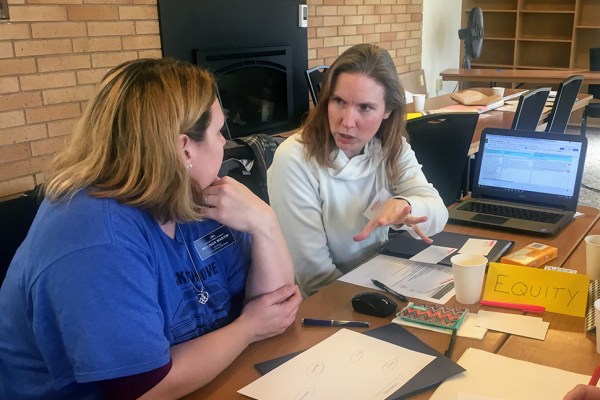 Community Colleges of Spokane (Washington state) librarians Melinda Martin (left) and Heather Morgan at an Assessment in Action Roadshow presented to community college librarians in Washington state. Each year, ACRL provides professional development training sessions, allowing librarians in the United States to connect and learn together and from one another.
In addition to workshops within the United States, the Association of College and Research Libraries (ACRL) offers professional development opportunities to institutes around the world to assist academic librarians in learning viable new skills and reasserting existing attributes to face head-on current issues within the profession. Currently scheduled and previously held locations for these workshops include Canada, Singapore, Trinidad and Tobago, and the United Arab Emirates (UAE). Assessment, information literacy, and research data management are just some of the topics touched upon by the current workshops.
“Topics like open education and scholarly identity resonate in different ways for stakeholders around the world. This discussion gave us the opportunity to reconsider our curriculum for new audiences and diverse experiences, goals, and incentives.” Will Cross, Director of the Copyright and Digital Scholarship Center at North Carolina State University and presenter at the New York University Abu Dhabi workshop in the UAE
As with the upcoming workshop at Arcadia University, these sessions allow for up to one hundred people to participate, where the materials presented by the Roadshow are licensed under Creative Commons, thereby allowing for electronic distribution to the attendees for future use in their own work. Institutions and organizations interested in hosting a Roadshow in their region can find more information about host responsibilities, curriculum details, a list of presenters, and more on ACRL’s website. Pricing and scheduling information is available by contacting ACRL Program Office Chase Ollis at collis@ala.org
A special citation credit goes to the article “On the Road Again: ACRL training with an international reach” for this information.
C&CS Presents: Accessibility Awareness and Technologies with Patty Petronello and Scott Meneely, Aug 16 at 11am
Accessibility Awareness and Technologies in the Library
with Patricia Petronello and Scott Meneely
from the
Carnegie Library of Pittsburgh, Library for the Blind and Physically Handicapped
Aug 16 (Thursday) at 11 am
Zoom session: Register here for the link!
Library workers experience on a daily basis the variety of ways in which patrons interact with their environment according to their various abilities, preferences, and circumstances. We are particularly concerned with the ways in which they most readily receive, process, and transmit information, how we can make our programming relevant and accessible to them, and what kinds of human interactions, physical accommodations, and technologies we can bring to bear to facilitate these transactions.
Scott and Patty will provide information and training for smartphone, tablet, and computer accessibility options (voiceover/screen readers, magnification, enlarged fonts, etc.), which are applicable to any operating system (iOS, Android), and any kind of device. This includes setting up the devices, teaching the basic gestures of the different accessible features, and downloading and learning how to navigate an app.
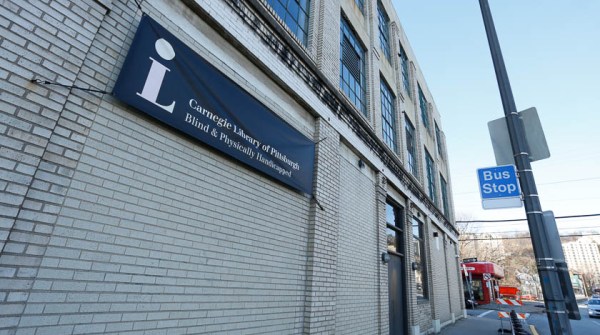 The Carnegie Library of Pittsburgh, Library for the Blind and Physically Handicapped (LBPH) is a network library of the National Library Service of the Library of Congress. They offer free public library services to Pennsylvania residents who have difficulty reading standard print materials because of a visual, physical, or reading disability. Services include digital audiobooks and downloads, large print books, reader advisory, accessible programming, and assistive technology training.
Scott Meneely has been working in libraries in various capacities since 2005. He has provided training to patrons in Microsoft Office, Job Seeking Skills, and Accessible Technology. He currently works at the Carnegie Library for the Blind and Physically Handicapped and is learning daily about the vast array of assistive technology that has the potential to improve the lives of our patrons.
Patty Petronello has been working in the Carnegie Library system for almost five years. Although she has worked in multiple positions, she has always assisted patrons with technology in some capacity, from résumé building and cover letters to computer program explanations and cell phone help. In the eight months that Patty has worked for LBPH she has expanded her expertise to include various types of assistive technologies. She continues to build her assistive tech knowledge in the hope that by sharing it she will help to enhance the lives of our patrons in meaningful ways.
Spaces still available for ACRL Roadshow
When: August 17, 2018
Where: Arcadia University, Glenside, PA
Description: In this day-long workshop on strategic and sustainable assessment, participants will identify institutional priorities and campus partners, design an assessment project grounded in action research, and prepare a plan for communicating the project results. This workshop is based on the highly successful ACRL Assessment in Action program curriculum.
Registration deadline: Friday August 10th. No registrations are accepted at the door. Attendance is limited to 100 people so register early.
PaLA Members – $45.00
Students – $25.00
REGISTER AT https://www.palibraries.org/events/EventDetails.aspx?id=1121902&group=
More details and the full program schedule can be found at goo.gl/U2wRDC
This project is made possible by a grant from the U.S. Institute of Museum and Library Services as administered by the Pennsylvania Department of Education and the Commonwealth of Pennsylvania, Tom Wolf, Governor, through the College and Research Division (https://crdpala.org/) of PaLA. Show your appreciation by becoming a member of PaLA! And if you are a member – thank you!
Feminist Reference Desk panel discussion now available
The Connect and Communicate session, Feminist Reference Desk panel discussion, recorded yesterday afternoon, is now available. This post will be updated with the slides and chapter copies when available. Thank you to our fabulous presenters, Maura Seale, Celia Emmelhainz, Erin Pappas, and Nina Clements.
Special thanks to Diane Porterfield for doing our closed captioning.
Link to session is here: https://youtu.be/5VzkrVKdosU
Evaluation of session here.
If you would like to present something for the Connect and Communicate series, our form is located on the C&CS page of this blog, https://crdpala.org/connect-communicate/
As always, thank you to PaLA and CRD for making this program possible.
It almost seems mundane to hear daily about the brave battles being fought against sweeping catastrophic forest fires in the wilderness and rural areas of California, Colorado and other western states; but do we know the extent of them? July 6, 2018 Nicole Rojas reported for Newsweek “More than 60 large wildfires are burning throughout the United States, particularly in the West.”

“The County Fire in California and the Spring Creek Fire in Colorado are the largest fires currently
burning in the western United States. INCIWEB.” http://www.newsweek.com/wildfires-2018…
As eyebrow raising as this may be, libraries ought to inform patrons about the bigger picture by engaging our communities in public awareness about how the United States increasingly confronts billion-dollar natural disasters. For example, it was reported last month that the financial cost of California’s PG & E wildfire last fall, “will probably exceed $2.5 billion” (Dale Kasler, “Biggest disaster ever?” June 21, 2018, The Sacramento Bee, https://www.sacbee.com/latest-news/article213580349.html).
In fact, at the beginning of 2018 it was already estimated that the previous year was one of the costliest on record, exceeding $300 billion in direct damages. See: Adam B. Smith, “2017 U.S. billion-dollar weather and climate disasters: a historic year in context,” January 8, 2018, Beyond the Data, Climate.gov, NOAA.

“This map depicts the general location of the sixteen weather and climate disasters assessed to cause
at least one billion dollars in direct damages during 2017.” https://www.climate.gov/news-features/blogs/beyond-data/2017-us-billion-dollar-weather-and-climate-disasters…
Although 2017 was a particularly devastating year due to natural disasters in the U. S. it was not a singularity as demonstrated by a suite of easy to use Web tools made available by the National Centers for Environmental Information (NCEI), including mapping, summary stats and more which cover the period of 1980-2018. Explore: Billion-Dollar Weather and Climate Disasters, https://www.ncdc.noaa.gov/billions/.


 Adam Balcziunas
 Alex K.
 Alexandrea Glenn
 Andrea Pritt
 aprilnkelley
 Ashley Purvis
 Bethann Rea
 blj13
blj13 Brendan Johnson
 Amanda Boyer
 Bret Stiffler
 Bonnie Powers
 Christopher Lemery
 clarewithers
 clblibrarian
 Kelly Clever
 Charlotte M. Johnson
 colemanluzerne
 CRD of PaLA
 crdvirtualjournalclub
 cre5314
 csgarth
 Erin B.
 danajkerrigancv
 denisewetzel1
 Darren G. Poley
 elm43
elm43 Heather Burychka
 James D'Annibale
 Annie Jansen
 Jill Hallam-Miller
 jennifercribbs
 Jenn Monnin
 Jen Hasse
 Jessica Showalter
 johnmeier1
 Julie Durci
 Kelly Safin
 Kim Karim
 Kristen Seikaly
 Kayla Van Osten
 Cecelia Lasley
 librarianjsmith
 Linda Neyer
 mabogino1
 Matthew McNelis
 Meg Massey
 Maggie Savidakis-Dunn
 Rebecca
 miskatoniclibrarian
 Maureen Bentz
 Michele G. Anfuso
 Nicole Miyashiro
 paulmcmonigle
 Rob Sieczkiewicz
 ronlmccoll
 Sam Bardarik
 shannahollich
 smartin592
 Ula Lechtenberg